Gallery of new files
Jump to navigation
Jump to search
This special page shows the last uploaded files.
-

-

-
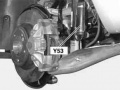
-
 W220 airmatic location of pneumatic hydraulic components.jpg Pokseva
21:39, 23 March 2015
939 × 470; 74 KB
-
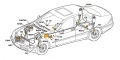 W220 airmatic location of electrical electronic components.jpg Pokseva
21:39, 23 March 2015
939 × 470; 80 KB
-

-
-

-

-
-
-
-
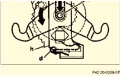 W220 Preload Brake Automatic Cable Slack Adjuster.JPG Ricebubbles
14:40, 23 March 2015
240 × 154; 17 KB
-

-
-
-

-
-
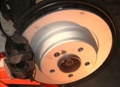 W220 Reinstalled Wheel Carrier, New Discs and Brake Pads.JPG Ricebubbles
14:31, 23 March 2015
396 × 288; 22 KB
-
-
-

-

-
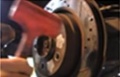 Use Mallet to Ensure Even Seating of Disk Rotor.JPG Ricebubbles
14:24, 23 March 2015
231 × 148; 13 KB
-
-
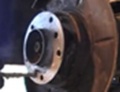 Apply Anti-Seize to Rear Axle Shaft Flange Face.JPG Ricebubbles
14:22, 23 March 2015
238 × 182; 13 KB
-
 Place Wheel carrier on Axle Shaft and Reinstall.JPG Ricebubbles
14:21, 23 March 2015
235 × 137; 13 KB
-
 Screw Rear Axle Shaft Flange Into Wheel Carrier Housing.JPG Ricebubbles
14:20, 23 March 2015
239 × 145; 12 KB
-
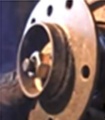 Use Washer and Nut to Press Rear Axle Shaft Flange Into Wheel Carrier Housing.JPG Ricebubbles
14:18, 23 March 2015
231 × 265; 15 KB
-

-
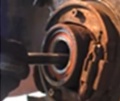
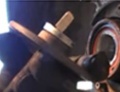
 Place Rear Axle Shaft Flange Over Puller Bolt from Front.JPG Ricebubbles
14:17, 23 March 2015
389 × 199; 18 KB
-
-
-

-

-

-
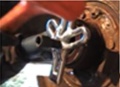
 Apply a Small Amount of Tension and Tap With Mallet.JPG Ricebubbles
14:10, 23 March 2015
235 × 235; 16 KB
-

-
-
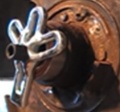
 Screw In New Bearing Until Puller Meets Housing.JPG Ricebubbles
14:06, 23 March 2015
234 × 196; 15 KB
-
-
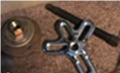
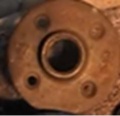
 Flange, Washers and Nut at back of Bearing Housing.JPG Ricebubbles
14:04, 23 March 2015
238 × 198; 12 KB
-
-
-
 W220 Rear Axle Shaft Flange Reinstalled in Wheel Carrier.JPG Ricebubbles
14:00, 23 March 2015
397 × 321; 29 KB
-
 W220 Reinstall the Wheel Flange into the Wheel Carrier 2.JPG Ricebubbles
13:59, 23 March 2015
394 × 223; 25 KB
-
 W220 Reinstall the Wheel Flange into the Wheel Carrier.JPG Ricebubbles
13:58, 23 March 2015
236 × 178; 17 KB
-
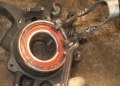 W220 Reinstall the Rear Wheel Bearing Cir-Clip.JPG Ricebubbles
13:56, 23 March 2015
237 × 169; 18 KB
-

-


